Template
Payroll & Salary Structure Engine
Under the Code on Wages, allowances cannot be used to keep “wages” artificially low: when the excluded components of pay exceed half of total remuneration, the excess is added back, and PF, gratuity and other dues follow the higher figure. A small business that set up salaries as a low basic plus a large special allowance now has a structure question as well as a payroll to run. This workbook does both for up to 100 employees: it works out code wages for every employee each month, runs the full payroll with statutory deductions and employer costs, and shows what a compliant salary split would look like at the same CTC.
₹2,999 on Gumroad · Google Sheets (your own copy) · Filled example · Quick Start Guide (PDF) · Delivered by email — see what’s inside below.
What it does
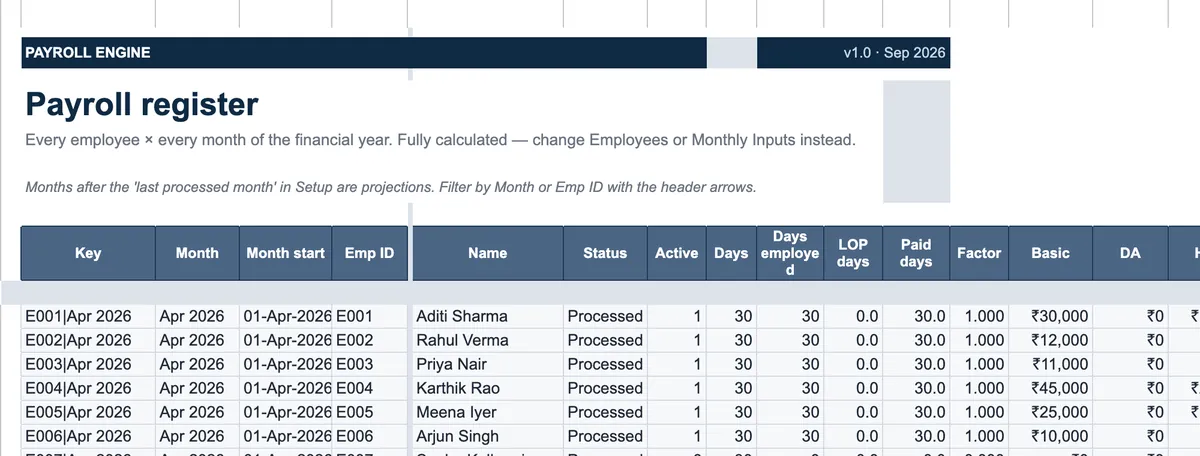
Employees is the master: profile, PF and ESI details, bank account and the monthly salary structure. Monthly Inputs holds only the exceptions — loss-of-pay days, overtime, arrears, advances and TDS overrides — so a normal month needs almost no typing. Payroll Register then computes every employee for every month of the financial year: earnings, code wages with the 50% add-back, PF with the EPS and EPF split, EDLI and admin charges, ESI rounded up as the rules require, professional tax by state (including the February instalment in states that have one), Labour Welfare Fund, a TDS projection, net pay and cost to company. Salary Slip prints a Form V wage slip for any employee and month; Bank Transfer lists net pay with account numbers and IFSC; Statutory Summary gives the month’s PF, ESI, PT, LWF and TDS totals. Structure Check shows who triggers the add-back and what it does to PF and gratuity; CTC Restructurer proposes a compliant split for one employee at the same CTC with the take-home change in rupees; Gratuity & Bonus works out eligibility and amounts; Compliance Calendar lists the year’s due dates. Every rate sits in Statutory Rates and PT & LWF with the notification or source it came from, editable, and System Health flags missing UANs, bank details, negative net pay and deductions above half of wages.
Who it’s for
- Small and mid-size businesses with 5 to 100 employees that run payroll in-house.
- HR and accounts staff who need salary slips, the bank file and statutory totals from one place.
- Owners checking whether their salary structures trigger the 50% wage rule before an inspection or an audit does.
- CA firms and payroll bureaus running payroll for clients, who need the product’s professional licence.
Fields included
How to use it
- In Setup, type the establishment details, the financial year, the state for professional tax and the wage-definition method.
- Fill Employees once: profile, statutory numbers, bank details and each person’s monthly salary structure.
- Each month, type only exceptions in Monthly Inputs — loss-of-pay days, overtime, arrears, advances, TDS overrides — and move the last processed month forward.
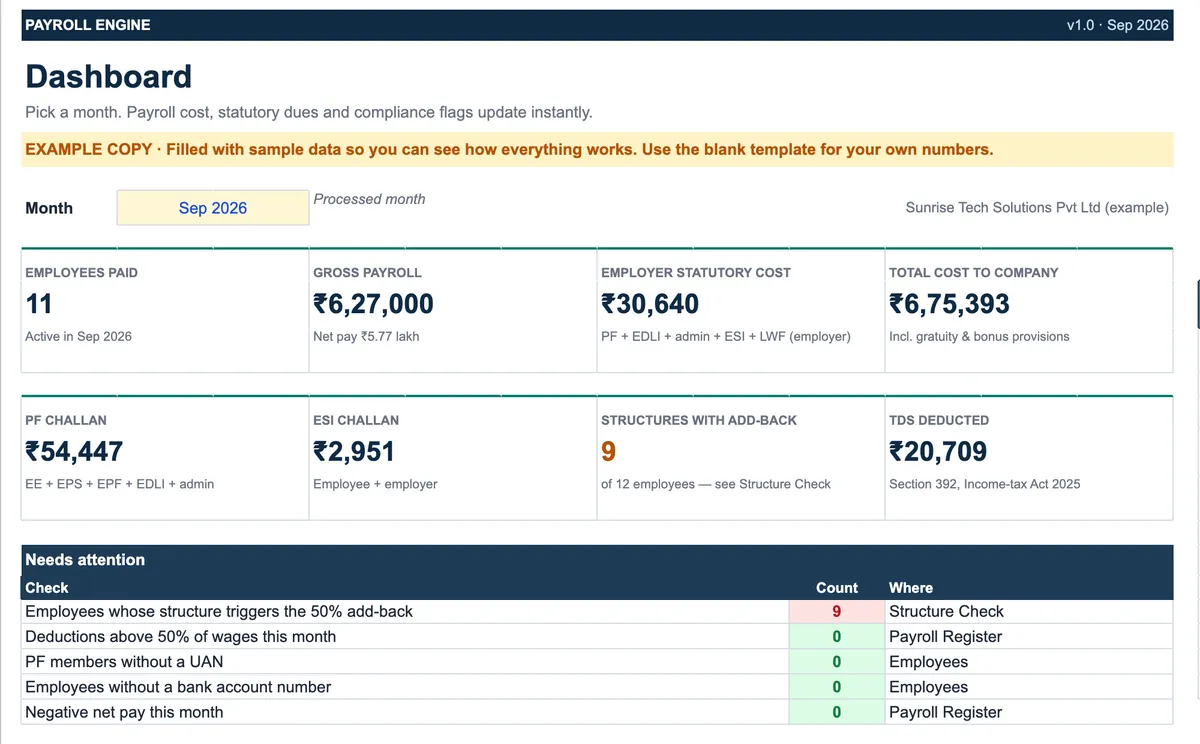
- Pick the month on the Dashboard; clear anything under Needs attention and in System Health.
- Print salary slips, take the bank transfer list, and use Statutory Summary for the PF, ESI, PT, LWF and TDS payments.
- Use Structure Check and CTC Restructurer when a structure triggers the add-back, before changing anyone’s salary.
Preview
₹2,999
Get it on Gumroad ↗Google Sheets (your own copy) · Filled example · Quick Start Guide (PDF) · Delivered by email
Sold by Jay Sudha. Checkout and delivery by Gumroad.
Example workflow
The EXAMPLE file runs a fictional 12-person company, and for September 2026 it pays 11 people a gross ₹6,27,000, with ₹30,640 of employer statutory cost and a total cost to company of ₹6,75,393 once gratuity and bonus provisions are counted; the PF challan is ₹54,447, the ESI challan ₹2,951 and TDS ₹20,709. Structure Check flags nine of the twelve structures. One employee earns ₹70,000 a month with ₹30,000 of basic plus DA — 43% of pay — so ₹6,500 is added back and code wages are ₹36,500; the employee’s PF does not change because it is already at the wage ceiling, but the gratuity provision rises. CTC Restructurer then shows the fix without raising cost: basic plus DA goes to ₹36,347, the special allowance falls to ₹13,573, CTC stays at ₹74,441 a month within rounding, and take-home falls by ₹306 a month — a number the employee can be told before the change, not after.
Frequently Asked Questions
Reviews
No reviews yet.
Bought this template? Review it
I read every review and publish it here, with the name you give, once I have matched your email to a Gumroad purchase. Your email is never shown. Privacy Policy