Template
Cloud Kitchen Dish Profitability
A dish that sells well on a delivery app can still lose money on every order. Between the menu price and the payout sit the platform’s commission, GST on that commission, a payment fee, packaging, the part of an offer the restaurant funds, ads and the TDS deducted from payouts — and none of it shows up in the order count. This workbook costs each dish from its recipe, runs it through every channel’s deductions to a true contribution margin, and says what the menu price would have to be on each channel to hit your target.
₹1,499 on Gumroad · Google Sheets (your own copy) · Filled example · Quick Start Guide (PDF) · Delivered by email — see what’s inside below.
What it does
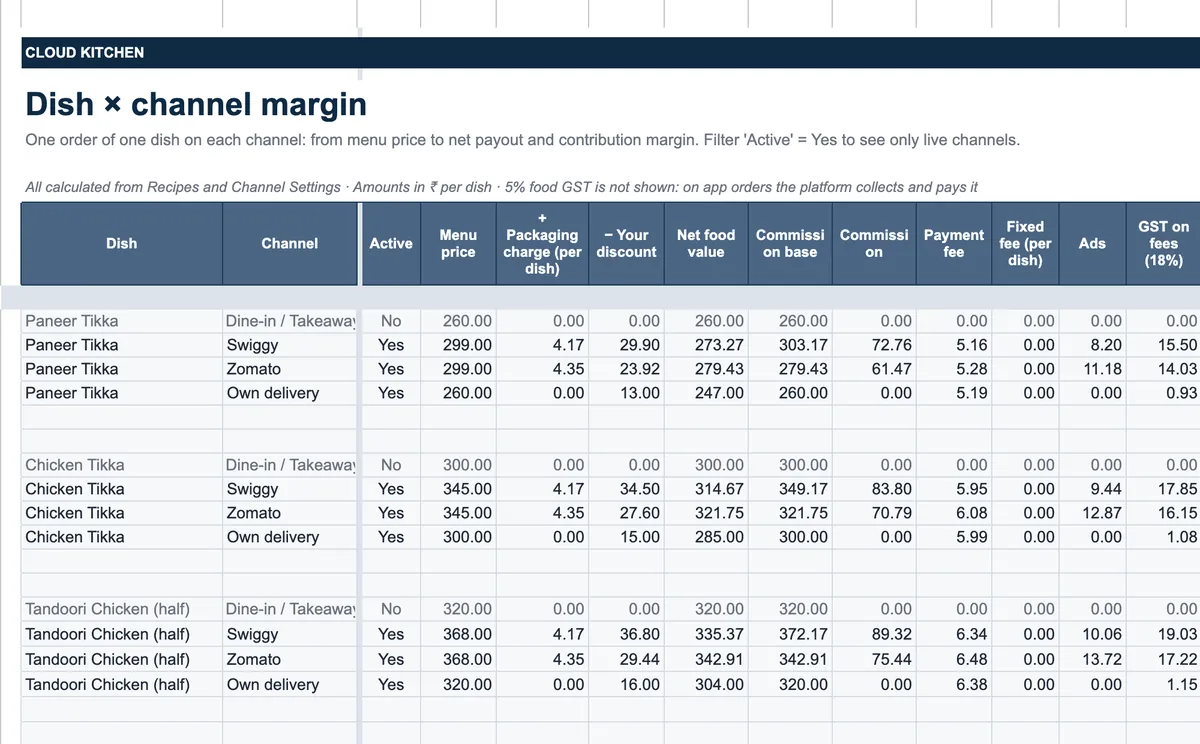
Ingredients holds the price list with pack size and yield, so the cost is per gram, millilitre or piece of the edible portion; Recipes holds each dish with its category, base price and packaging, and its recipe lines add up to a plate cost — change one ingredient’s price and every dish that uses it is repriced. Channel Settings takes, for each channel, the commission and whether it is charged before or after the discount, GST on platform fees, the payment fee, TDS, packaging, discounts, ads and payout timing; the defaults are marked placeholders, because platforms do not publish standard rates, and are meant to be replaced from your own contract. Dish × Channel Margin then runs every dish on every channel from menu price to net payout and contribution margin. Price Recommender gives the price each dish needs on each channel to reach your target margin; Discount Simulator shows what an offer such as 50% off up to ₹100 really costs, who funds it and how many extra orders it needs to break even; Sales Log takes units sold per dish per channel per month from your platform reports; Menu Engineering sorts dishes into stars, plowhorses, puzzles and dogs on margins after platform deductions; Payout Reconciliation compares each week’s expected payout with what arrived and flags short or missing payouts.
Who it’s for
- Cloud kitchens and delivery-first restaurants selling on Swiggy, Zomato and their own delivery.
- Owners deciding app prices, which offers to run and which dishes to keep on each menu.
Fields included
How to use it
- In Setup, type the kitchen details, GST status, target margin and food-cost target, and the packaging default.
- Replace the placeholder rates in Channel Settings with the commission, fees and terms from your own contracts.
- Add ingredients with pack size, price and yield, then each dish with its recipe lines.
- Each month, type units sold per dish per channel in Sales Log from the platform reports.
- Read Dish × Channel Margin and the Dashboard; use Price Recommender and Discount Simulator before changing prices or offers.
- Each week, record payouts in Payout Reconciliation and follow up anything short or missing.
Preview
₹1,499
Get it on Gumroad ↗Google Sheets (your own copy) · Filled example · Quick Start Guide (PDF) · Delivered by email
Sold by Jay Sudha. Checkout and delivery by Gumroad.
Example workflow
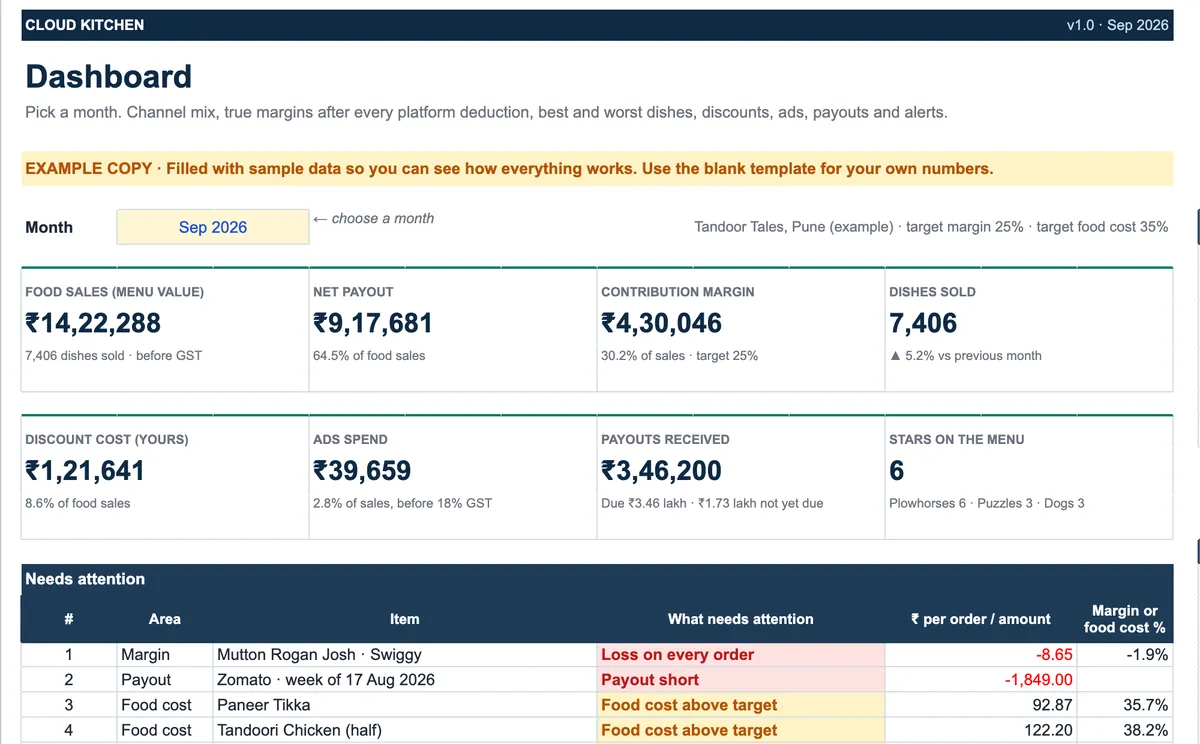
The EXAMPLE file is a fictional tandoor kitchen in Pune for September 2026, on placeholder platform rates. It sold 7,406 dishes worth ₹14,22,288 at menu prices; the payouts came to ₹9,17,681, 64.5% of that, and the contribution margin was ₹4,30,046, or 30.2% against a 25% target. By channel the story splits: Swiggy carried 48% of sales at a 25.1% margin, Zomato 39% at 30.5%, and the kitchen’s own delivery only 13% but at 47.9%. The Dashboard’s first alert is the one a sales report would never show — mutton rogan josh loses ₹8.65 on every Swiggy order — followed by a Zomato payout for the week of 17 August that arrived ₹1,849 short and four dishes whose food cost is above target.
Frequently Asked Questions
Reviews
No reviews yet.
Bought this template? Review it
I read every review and publish it here, with the name you give, once I have matched your email to a Gumroad purchase. Your email is never shown. Privacy Policy