Subscription Audit: How to Find and Cut the Recurring Costs You Forgot About
Most households pay for 5-10 subscriptions they barely use. A structured process to find them, evaluate each one, and cut what does not earn its keep.
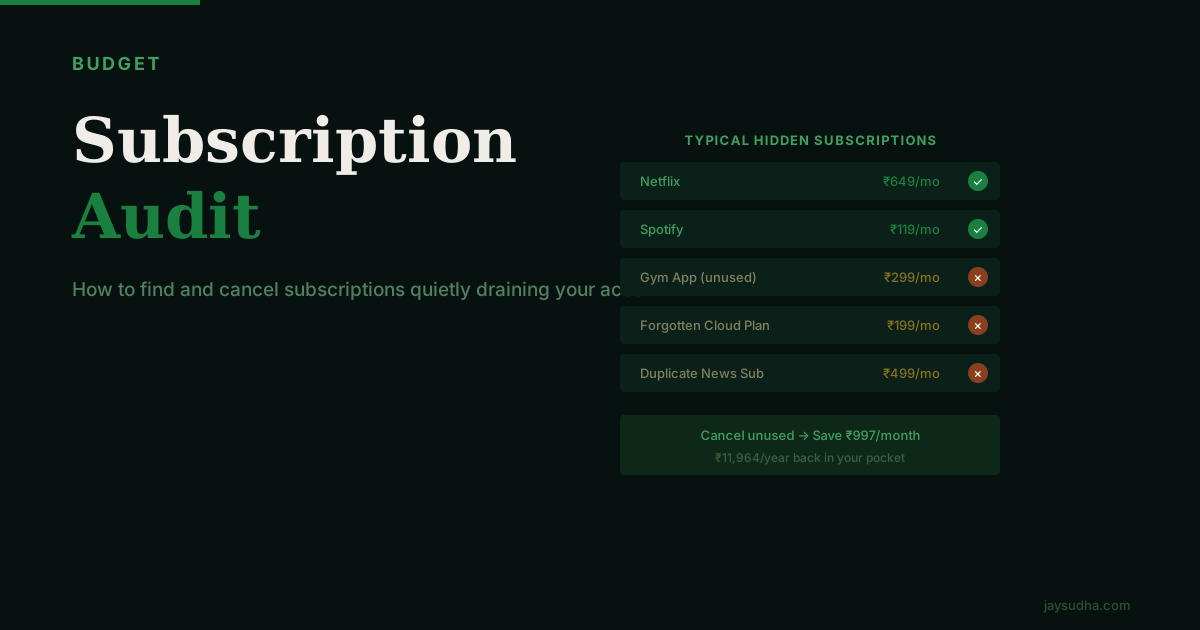
Subscriptions are designed to be easy to start and inconvenient to think about. A ₹499/month charge rarely triggers the same mental reconsideration that a one-time ₹499 purchase would. That's not an accident — it's the business model.
The result for most households: a slow accumulation of recurring charges, many of which you're paying for services you barely use or had genuinely forgotten about.
A subscription audit is the process of systematically finding all of these, evaluating each one, and making an active decision about whether to keep it. It takes about 90 minutes the first time and about 20 minutes each subsequent time.
Why Subscriptions Accumulate Silently
Free trials. Almost every service offers a free trial and requires payment details upfront. When the trial ends, billing starts automatically. The service sends an email that most people miss or ignore.
Small amounts that don't feel worth cancelling. A ₹99/month subscription feels too small to bother with — until you notice you're paying it for 18 months for a service you last opened in month two.
Bundled value. Many subscriptions come as bundles (Amazon Prime includes delivery + video + music + reading), which makes it harder to evaluate whether the composite cost is justified.
Split billing. A subscription paid on a credit card you check less frequently is easier to lose track of than one coming off your main salary account.
Mental accounting. The annual plan billed all at once feels like a sunk cost by month three, so you stop thinking about whether you're using the service.
How to Find All Your Subscriptions
Step 1: Bank Statement Review
Pull the last 3 months of your primary bank account statement. Search or scroll for any recurring charge — the same amount from the same merchant each month. Common tells: the same round number (₹199, ₹299, ₹649, ₹999) appearing from the same payee regularly.
Do this for every bank account you use.
Step 2: Credit Card Statement Review
Repeat the process for every credit card. Many subscriptions end up on credit cards, especially ones where you set up the subscription years ago and the card has auto-renewed since. Check 2–3 months of statements.
Step 3: UPI Autopay Review
This is often the most forgotten source. Open your UPI app — Google Pay, PhonePe, BHIM, or your bank's UPI interface — and look for the autopay or recurring mandates section. You'll see every recurring UPI mandate you've approved, with the merchant name and amount.
Step 4: Email Search
Search your email inbox for:
- "subscription"
- "renewal notice"
- "billing"
- "annual plan"
- "your payment of ₹"
Filter to sender types that look like services rather than people. This often surfaces annual subscriptions you've forgotten entirely — a ₹2,000/year charge from a productivity app you tried two years ago and never touched.
Step 5: App Store Review
Go to the subscriptions section in your Google Play Store or Apple App Store account. This shows every active subscription billed through the app store. Many people discover they have 3–5 active subscriptions here they had completely forgotten.
Categories to Audit
Streaming and Entertainment
| Service | Monthly Cost | Questions to Ask |
|---|---|---|
| Netflix | ₹149–₹649 depending on plan | How many times per week does someone watch? |
| Amazon Prime | ₹299/month or ₹1,499/year | Used for delivery + video? Or primarily one of them? |
| Disney+ Hotstar | ₹299–₹899/month | Is there a current series or sport you're watching? |
| Spotify / Apple Music | ₹119–₹179 | YouTube Music may be included in your phone plan |
| Sony LIV / Zee5 | ₹99–₹299 | Do you actually watch these? |
A household paying for three streaming services is spending ₹1,000–1,500/month (₹12,000–18,000/year) on content. This may be fully justified — or it may be that everyone watches Netflix and the other two sit idle.
The honest question: would you re-subscribe to this service today if you weren't already a member?
Food and Delivery Memberships
- Swiggy One (₹299–₹399/month): Makes sense if you're ordering frequently enough that the delivery fee savings and discounts cover the membership cost. If you order twice a month, you're likely not breaking even.
- Zomato Gold (₹149–₹299/month): Similar logic — the value depends entirely on usage frequency.
Calculate your actual savings from each membership in the last month. If you're not saving more than the membership cost, there's no financial case for keeping it.
Productivity and Cloud Services
- Google One (₹130–₹210/month for 100–200 GB): Legitimate if your photos/documents need the space
- iCloud (₹75–₹219/month): Same logic
- Microsoft 365 (₹499/month or ₹5,299/year): Are you actually using Office apps, or could free alternatives work?
- Password managers (₹600–₹2,000/year): Actually useful — this is one to keep if you're using it
- VPN services (₹200–₹500/month): Do you actually need this?
- News apps (₹100–₹299/month): Are you reading them regularly, or scrolling headlines for two minutes and calling it news?
Fitness
- Gym membership: The most notorious unused subscription. If you haven't been in 6 weeks, calculate what each visit you did make cost you. A gym you visit twice a month at ₹1,500/month is ₹750 per visit — probably cheaper to use the park.
- Fitness apps (Cult.fit, HealthifyMe, Nike Training, etc.): Used actively or downloaded once?
Other Common Subscriptions
- Online learning platforms (Coursera, Udemy subscriptions, LinkedIn Learning)
- Professional tools (design software, project management tools)
- Domain and hosting (personal website you haven't updated)
- Antivirus software (Windows Defender is now genuinely adequate for most users)
The Evaluation Framework
For each subscription you find, ask these three questions:
1. How often did I actually use this in the last 30 days? Not "how often do I intend to use it" — how often did you open it? Be honest. If the answer is "I kept meaning to" or "once, briefly," that tells you something.
2. Would I sign up for this today at this price if I weren't already a member? This cuts through sunk cost thinking. If the answer is no, you should probably cancel.
3. Does a cheaper alternative exist? For many streaming services, the question isn't whether to drop all of them — it's whether you need four. Rotate subscriptions seasonally (subscribe when a show you want launches, cancel when it ends) rather than keeping everything active year-round.
A Sample Audit Table
Here's what a household audit might look like. These are illustrative amounts.
| Service | Monthly Cost | Last Used | Keep / Cancel / Pause |
|---|---|---|---|
| Netflix (Premium) | ₹649 | Daily | Keep — downgrade to Mobile plan ₹149? |
| Amazon Prime | ₹299 | Weekly (delivery + video) | Keep |
| Disney+ Hotstar | ₹899 | 2 months ago | Cancel |
| Spotify | ₹119 | Daily | Keep |
| Swiggy One | ₹299 | Ordered 3x last month | Review — marginal |
| Zomato Gold | ₹249 | Ordered 2x last month | Cancel |
| Google One 100GB | ₹130 | Needed for photos | Keep |
| LinkedIn Learning | ₹1,499 | Haven't opened in 4 months | Cancel |
| Gym | ₹1,200 | Went twice | Cancel |
| News app | ₹299 | Opened 3x | Cancel |
| Total | ₹5,642 | Potential savings: ~₹3,000+ |
A result like this — finding ₹3,000/month in genuinely unnecessary spending — is entirely typical. That's ₹36,000/year in money that was being spent on services delivering minimal value.
What to Actually Cancel vs Keep
The goal isn't to cut everything. Subscriptions you use regularly and find genuinely valuable are fine. A good password manager that you use every day is worth ₹100/month. A streaming service the whole family watches nightly is worth ₹500/month.
The goal is to ensure every active subscription is a deliberate choice — not an inertia holdover.
Good candidates to keep: Subscriptions used more than once a week, services where cancelling would cause meaningful inconvenience, annual plans where you've already used significant value
Good candidates to cancel: Anything unused for 4+ weeks, duplicate services in the same category (two news apps, two cloud storage services), "just in case" subscriptions you keep renewing without using
The pause-and-review approach: If you're genuinely unsure, cancel now. Most services let you rejoin instantly. If you cancel Hotstar today and find yourself missing it in two weeks, you can resubscribe. If you never miss it, you have your answer.
Doing This Quarterly
The first audit is the longest — you're doing discovery. After that, you're just running maintenance. Set a quarterly reminder (calendar event works) to spend 20 minutes scanning your statements for new recurring charges that appeared since the last audit.
The two moments when subscriptions most commonly appear without notice:
- Right after a free trial period ends
- After a free-to-paid conversion at annual renewal
Both will show up in your bank or card statement. Catching them within 30 days means you can cancel and sometimes request a refund.
Household Subscriptions: Who Uses What
In households with multiple earning members or multiple users, subscriptions accumulate faster because each person may be subscribing to things independently. The family has three phones — maybe each has an app subscription the others don't know about.
A useful annual exercise: sit down together and go through all shared subscriptions. Some might be used by one person who doesn't know others have no interest in it. Others might be worth splitting costs on formally rather than one person absorbing it.
For family subscriptions like Prime or Apple One, also check whether the "family" feature is actually being used. A ₹1,499/year Prime membership shared by four family members is genuinely good value. A ₹1,499/year plan "shared" with one person who uses it occasionally is a different calculation.
UPI Autopay: The Subscriptions Most People Miss
Most subscription audits focus on credit card charges. But an increasing proportion of Indian subscription billing now runs through UPI autopay mandates — and these are easier to lose track of because they don't appear as a recurring charge on a credit card bill.
To audit UPI autopay mandates:
Google Pay: Open the app → Settings (or tap your profile icon) → Payments → Manage Autopay. This shows all active UPI mandates with merchant name, amount, frequency, and next debit date.
PhonePe: Open app → Profile → Payment Settings → Manage Autopay.
BHIM UPI: The NPCI's BHIM app has a Manage Mandate section under UPI Autopay.
Bank-native UPI apps (like HDFC PayZapp, ICICI iMobile Pay): Check under UPI or Payments section for autopay mandates.
A UPI autopay mandate is distinct from a standing instruction. A mandate allows the merchant to debit your account up to a pre-authorised limit on a schedule. Unlike a standing instruction (which you set up through your bank for fixed amounts), a merchant can vary the debit amount within the authorised limit. Reviewing these separately from bank standing instructions is important.
Common subscriptions running through UPI autopay that households miss: news app subscriptions activated via QR code payment, fitness app annual renewals converted to monthly, insurance premium auto-renewals, and food delivery membership plans.
The audit process for UPI is the same as for credit cards: find every mandate, check the last debit date and the actual usage of the service, and make an active keep or cancel decision. Cancellation happens directly in the UPI app — you do not need to contact the merchant.
The Rotation Strategy: Pay for What You're Watching, Not Everything Forever
A practical approach to OTT subscriptions that reduces annual cost without meaningful sacrifice: seasonal rotation.
Most streaming platforms release content in waves — a new series, a sport season, a film release. Rather than maintaining all subscriptions year-round, subscribe for the months when you'll actually watch:
Netflix: Subscribe when a series you want to watch drops. Cancel after you've finished it. Most series are released all at once or over 8 weeks. A ₹649/month Netflix subscription on 4 months/year instead of 12 months saves about ₹5,200/year (eight months you don't pay for).
Disney+ Hotstar: Primarily valuable during IPL season (March–May) and specific sports broadcasts. An annual plan activated for 4–5 months and cancelled is more cost-effective than year-round subscription for households whose primary interest is cricket.
Sony LIV / Zee5: Subscribe specifically when a show you want to watch begins. Cancel immediately after finishing it. Most of these platforms allow cancellation with no notice period.
The practical obstacle: remembering to cancel after you've finished watching. Set a calendar reminder for two weeks after subscribing. The reminder ensures you do not drift into the "keeping it just in case" pattern that costs ₹200–900/month for months of non-use.
This rotation strategy requires slightly more account management than keeping everything active, but for a household paying ₹4,000–6,000/month in streaming and entertainment subscriptions, the savings can be substantial: ₹15,000–25,000/year for the same volume of content consumed.
Frequently Asked Questions
Sources and references
Rules, rates, and thresholds in India change over time. Always confirm the current position with the official source above before acting on it.