Going Paperless with Your Finances in India: A Practical Guide
Physical financial documents create clutter, get lost, and are hard to find in emergencies. Moving to digital with a simple system is safer and faster.
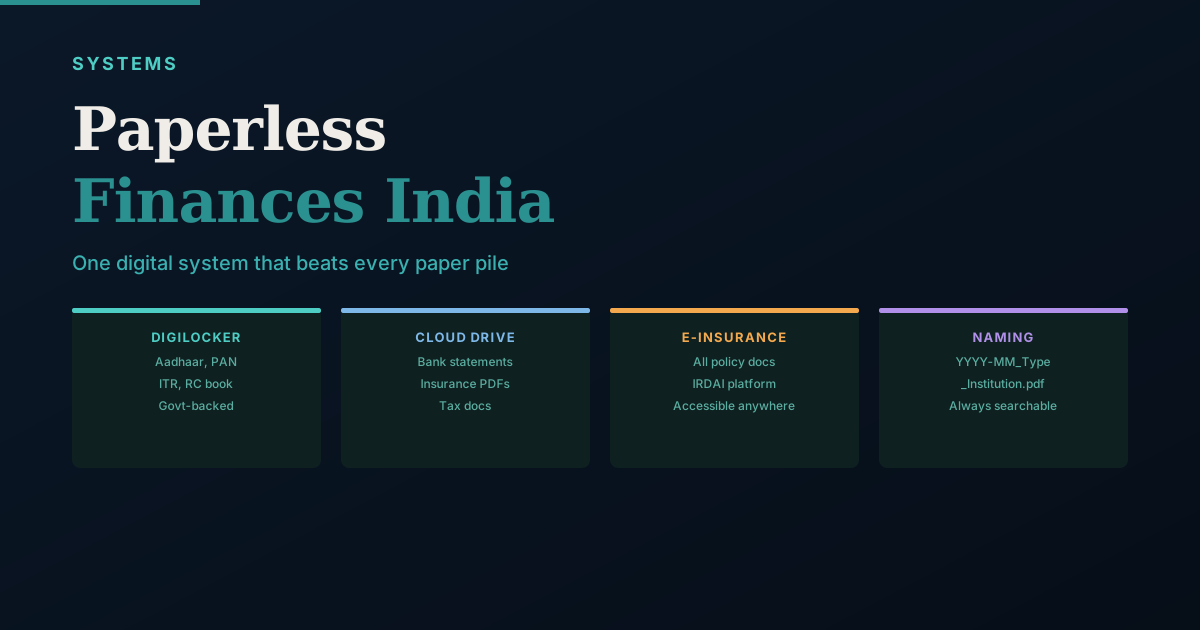
Most personal finance paperwork accumulates into a physical archive nobody looks at — until there's an emergency, a tax audit, or a loan application that demands a document you can't find. Going paperless creates a searchable, accessible, disaster-proof system with very little ongoing effort.
I have lived the business version of this. A traditional trading business runs on stacks of physical stock statements, bills, and bank correspondence, and the day a lender or an auditor actually asks for one, its absence costs far more than the paper itself was ever worth.
Why Go Paperless?
Physical documents have real vulnerabilities. They can be destroyed in a flood, fire, or household move. They require your physical presence to access, which matters if you're travelling or in a medical emergency. They're difficult to search and share with a family member or advisor remotely.
Digital documents solve all of these problems: they're accessible from any device and any location, easily searchable by file name, automatically backed up if stored in cloud services, and shareable instantly when needed. The transition takes a few hours to set up and a few minutes a month to maintain.
The Five Document Categories
Identity Documents (store in DigiLocker + encrypted cloud): Aadhaar card, PAN card, Passport, Driving licence, Voter ID, Birth certificate. These are your foundational identity documents. DigiLocker connects directly to government databases and provides legally valid digital copies for most of these.
Financial Accounts (store in encrypted cloud, organised by financial year): Bank account statements (last 3 years minimum), savings and current account opening documents, demat account statements, and consolidated account statements from mutual fund registrars (CAMS and KFintech issue these). Enable email delivery from your bank once — it's auto-paperless going forward.
Insurance (store in e-Insurance Account via IRDAI + cloud): Term insurance policy, health insurance policy, vehicle insurance, home insurance, any LIC or investment-linked policies. IRDAI's e-Insurance Account (eIA) lets you hold all insurance policies digitally in one place. Register through any insurance repository.
Tax Documents (organised by financial year): ITR acknowledgments and computation (keep 7 years), Form 16 from each employer (7 years), investment proofs submitted to employer, capital gains statements from brokers, Form 26AS and AIS printouts. Create a folder for each assessment year.
Property, Loans, and Investments: Home loan sanction letter, loan agreement, and NOC when closed. Property sale deed (also keep physical originals for property documents). Vehicle RC book — available in DigiLocker. Mutual fund statements, NPS PRAN documents, PPF passbook (digital statements available from bank).
The DigiLocker Advantage
DigiLocker (digilocker.gov.in) is a government-backed service that links official documents to your Aadhaar. Documents stored here are legally equivalent to originals for most government and institutional purposes. Key documents available via DigiLocker include Aadhaar (via UIDAI), PAN (via Income Tax Department), driving licence and vehicle RC book (via transport departments), and ITR acknowledgments (via IT Department). DigiLocker access requires Aadhaar-linked mobile number for OTP verification.
Setting Up Your Digital System
Step 1: Choose your storage locations. DigiLocker for government-issued documents. Google Drive or iCloud with two-factor authentication enabled for all other financial documents. Consider one encrypted backup on a separate device or backup service for redundancy.
Step 2: Create a consistent folder structure.
/Finance/
  /Identity/
  /Banking/
    /FY2024-25/
    /FY2023-24/
  /Insurance/
  /Investments/
  /Taxes/
    /AY2025-26/
    /AY2024-25/
  /Property/
  /Loans/
Step 3: Establish a clear naming convention.
Format: YYYY-MM_DocumentType_Institution.pdf
Examples: 2025-04_Form16_Infosys.pdf, 2025-01_PolicyBond_LIC.pdf, 2024-12_HomeStatement_HDFC.pdf
Step 4: Enable automatic digital delivery. Most banks, AMCs, and insurers offer email delivery of statements. Enable this once for each account — all future documents arrive digitally automatically.
The 30-Minute Monthly Maintenance
Once a month: check your email for statements received, rename and file them into the folder structure, and confirm all expected documents arrived. That's it. A backlog never builds up if you spend 30 minutes monthly.
Getting Consolidated Account Statements for Mutual Funds
One of the most useful digital documents for any investor is the Consolidated Account Statement (CAS), which shows all mutual fund holdings across every AMC in a single PDF. Two registrars issue these in India:
CAMS (camsonline.com): Covers all AMCs registered with CAMS — including Nippon India, Mirae Asset, HDFC MF, ICICI Pru, SBI MF, DSP, and many others. Log in with your registered email or PAN, select "Statement of Account," choose "Detailed" for full transaction history or "Summary" for current holdings. The PDF arrives by email within minutes.
KFintech (kfintech.com): Covers AMCs registered with KFintech — including Kotak, Axis, UTI, Franklin Templeton, Quant, PPFAS (Parag Parikh), and others. Same process — log in, request CAS, receive by email.
If you invest through multiple AMCs, you need both. Download both CAS documents once a quarter and file them under /Investments/Mutual-Funds/ with the naming convention YYYY-MM_CAS-CAMS.pdf and YYYY-MM_CAS-KFintech.pdf.
MFCentral (mfcentral.com): A joint portal by CAMS and KFintech that provides a combined statement covering all AMCs. This is the single most convenient source — one login, one statement covering everything. Register with your PAN and mobile number.
Setting Up Email Auto-Delivery for Statements
Most financial statements can be converted to automatic email delivery in one setup session. Here is what to enable:
Bank statements: In your bank's net banking portal, go to the "Profile" or "Preferences" section and find "e-Statement" or "Online Statement." Register your email. Some banks (HDFC, ICICI, Axis, Kotak) also allow SMS-based statement access. Once registered, a PDF statement arrives by email on the 1st of each month automatically.
Mutual fund account statements: AMCs send transaction confirmations by email automatically for each SIP and purchase. For periodic full statements, register your email in the AMC's portal — CAMS and KFintech both support email delivery of quarterly CAS statements.
EPF annual statement: The EPFO member portal (member.epfindia.gov.in) allows you to access your EPF passbook online. Register your UAN and link your Aadhaar. Annual statements and individual transaction history are accessible any time. No paper required.
NPS statement: Log in to the NPS Trust portal (npscra.nsdl.co.in) or your Point of Presence (POP) portal. Your PRAN-linked email receives transaction statements. You can also request a statement anytime through the portal.
Demat account statement: Log in to CDSL (mycas.in) or NSDL (eservices.nsdl.com) to access your consolidated demat holdings statement. CDSL also sends monthly email statements to registered email. These show all shares held in your demat account across brokers.
File Naming Reference: The Complete List
The naming convention YYYY-MM_DocumentType_Institution.pdf works consistently for all document types. Here is a complete reference for the most common documents:
Tax documents:
2025-07_ITR-Acknowledgement_AY2025-26.pdf2025-06_Form16_MicrosoftIndia.pdf2025-04_Form26AS_AY2025-26.pdf2025-04_AIS_AY2025-26.pdf2025-03_CapitalGains-Statement_Zerodha.pdf
Banking:
2025-04_Bank-Statement_HDFC-Savings.pdf2025-04_Bank-Statement_ICICI-CreditCard.pdf2025-04_FD-Advice_SBI-3Lakh.pdf
Investments:
2025-03_CAS-Statement_CAMS.pdf2025-03_CAS-Statement_KFintech.pdf2025-03_Demat-Statement_Zerodha-CDSL.pdf2025-03_EPF-Annual-Statement_UAN-1234.pdf2025-03_PPF-Statement_SBI.pdf2025-03_NPS-Statement_PRAN-1234.pdf
Insurance:
2025-01_PolicyBond_LIC-TechTerm.pdf2025-02_Premium-Receipt_StarHealth.pdf2025-03_Vehicle-Insurance_ICICILombard.pdf
Loans:
2025-04_Loan-Statement_HDFC-HomeLoan.pdf2023-11_Loan-NOC_HDFC-CarLoan.pdf
Handling Documents You Can't Digitise
A small category of documents should have physical originals preserved permanently, with digital scans as backup only:
Property sale deeds and registration documents: These are registered with the Sub-Registrar's office and carry stamps and signatures that establish legal title. Scan them for reference, but never treat the scan as the primary document. The original must be physically safe. If your property is under a home loan, the bank holds the original — they return it when the loan is fully repaid.
Loan NOCs (No Objection Certificates): When a loan is fully closed, the lender issues a NOC confirming no outstanding balance. This is one of the most important documents to preserve permanently — it is your proof that the debt is discharged. If a dispute ever arises years later, the NOC is your protection. Store the original in your home safe or bank locker; scan and file digitally as well.
Original insurance policy bonds: IRDAI's e-Insurance Account (eIA) system lets you hold policies digitally, which is excellent for accessibility. But for older policies or those not yet linked to eIA, the physical policy bond may be required for claim processing. Check whether your insurer accepts eIA-linked claims before destroying any physical bonds.
What DigiLocker Actually Stores vs Links
DigiLocker has two types of documents that people often confuse:
Issued documents (directly from government systems): These are digitally signed originals pulled directly from the issuing authority's database — Aadhaar from UIDAI, PAN from Income Tax, driving licence from the transport department's Sarathi portal, vehicle RC from Vahan portal, class 10/12 certificates from CBSE/state boards, ITR acknowledgments from Income Tax. These are legally equivalent to originals for almost all purposes. When a traffic officer scans your DigiLocker driving licence QR code, they are reading the Sarathi database directly — this is legally valid.
Uploaded documents (self-uploaded): These are scans you upload yourself — bank statements, insurance policies, property documents. These are stored securely but are NOT legally equivalent to originals since they are self-uploaded copies, not digitally signed by a government authority. Treat these as convenient backup copies, not as legal originals.
For the most important purpose — emergency family access — DigiLocker excels because it is accessible from any device with just your Aadhaar-linked mobile OTP, without requiring any special files or passwords.
The Annual Document Audit: A 30-Minute Checklist
Once a year, in April at the start of the new financial year, do a quick document audit:
- Download the full-year CAS from CAMS and KFintech — confirm all mutual fund holdings are as expected.
- Download your EPF passbook from the EPFO portal — confirm all monthly contributions credited, both employer and employee.
- Download your NPS statement from the NPS Trust portal — confirm contributions and corpus.
- Download demat holding statement from CDSL or NSDL — confirm all shares are present and no unexpected positions.
- Check DigiLocker — confirm driving licence and vehicle RC are linked and current.
- Review your Finance folder — file any documents that arrived in the past year but weren't filed, delete any genuine duplicates.
- Review the family access document — update any changed account numbers, policy details, or storage locations.
This audit takes 30 minutes and ensures your digital system hasn't drifted. The physical counterpart — checking that property documents and insurance bonds are still in their designated physical location — takes five more minutes.
Recovering Missing Documents When Going Paperless
When setting up a paperless system from scratch, you will almost certainly find gaps — years of documents that were never saved digitally, or platforms where you never signed up for email delivery. Here is how to recover the most common missing documents:
Income Tax documents (ITRs, Form 26AS, AIS): Log into incometax.gov.in. Under "e-File → Income Tax Returns → View Filed Returns," all electronically filed ITRs are available for download back to the year you first filed online. AIS (Annual Information Statement) and Form 26AS are available for recent years under the "e-File" and "Services" sections. Download each year's documents and file them under /Taxes/AY[year]/.
Mutual fund transaction history (all time): Request a detailed CAS from camsonline.com or kfintech.com with the start date set to your earliest investment — as far back as your account was opened. Set the "Period" to "Specific Period" and enter your account's inception date. This single PDF covers every transaction, every SIP, every redemption across all funds in their registry. Store this as your complete historical mutual fund record.
EPF for previous employers: All EPF contributions under your UAN are visible in the EPFO passbook at member.epfindia.gov.in, even for previous employers whose PF member IDs are linked to your UAN. The passbook shows transactions under each employer's member ID separately. Download the full passbook history as a PDF or take a screenshot of each linked account.
Old insurance policies (LIC and private): LIC policies taken before digitisation are accessible at licindia.in once registered with your policy number and date of birth. For private insurers, log into the insurer's customer portal. Most policies issued after 2010 are accessible online. For policies before 2010, contact the insurer's customer care with the policy number — they can email a digital copy.
Old bank statements: Most Indian banks retain statements going back 5–10 years in net banking. HDFC Bank, ICICI Bank, Axis, Kotak, and SBI all provide online statement access for several years. Download one month at a time or request a full year statement by email from the bank directly.
Protecting Your Digital Documents from Loss
Going paperless introduces a new risk: all documents on a single platform or device can be lost if that platform closes, your account is compromised, or the device fails. Protect against this with a two-copy system:
Primary copy: Google Drive or iCloud with 2FA enabled. This is your active working copy — always accessible, searchable, shareable.
Backup copy: An external hard drive updated monthly, or a second cloud service (if you use Google Drive as primary, Dropbox or iCloud as backup). The backup exists so that if your Google account is ever compromised or suspended, you still have all your documents.
DigiLocker for government originals: DigiLocker is linked to your Aadhaar and operated by the Government of India — it is as safe as any government system. These documents do not require a separate backup because the government database is the authoritative source; DigiLocker just gives you access to it.
For the most critical documents — scanned property sale deed, insurance bonds, loan NOCs — keep one additional copy in a password-protected USB drive stored in your home safe or bank locker. This is your offline disaster backup in the event of a comprehensive cloud failure.
The paperless system's real strength is resilience: three independent copies of critical documents across two clouds and one offline backup means losing access to your financial documents in an emergency becomes nearly impossible.
For which documents legally require a physical original in your specific situation, that is worth confirming with a lawyer rather than assuming a digital copy always suffices.
Frequently Asked Questions
Sources and references
Rules, rates, and thresholds in India change over time. Always confirm the current position with the official source above before acting on it.