Freelancer Invoice Guide India: What to Include and How to Get Paid
A professional invoice is your legal proof for getting paid. Indian freelancers must include specific elements to stay compliant and avoid disputes.
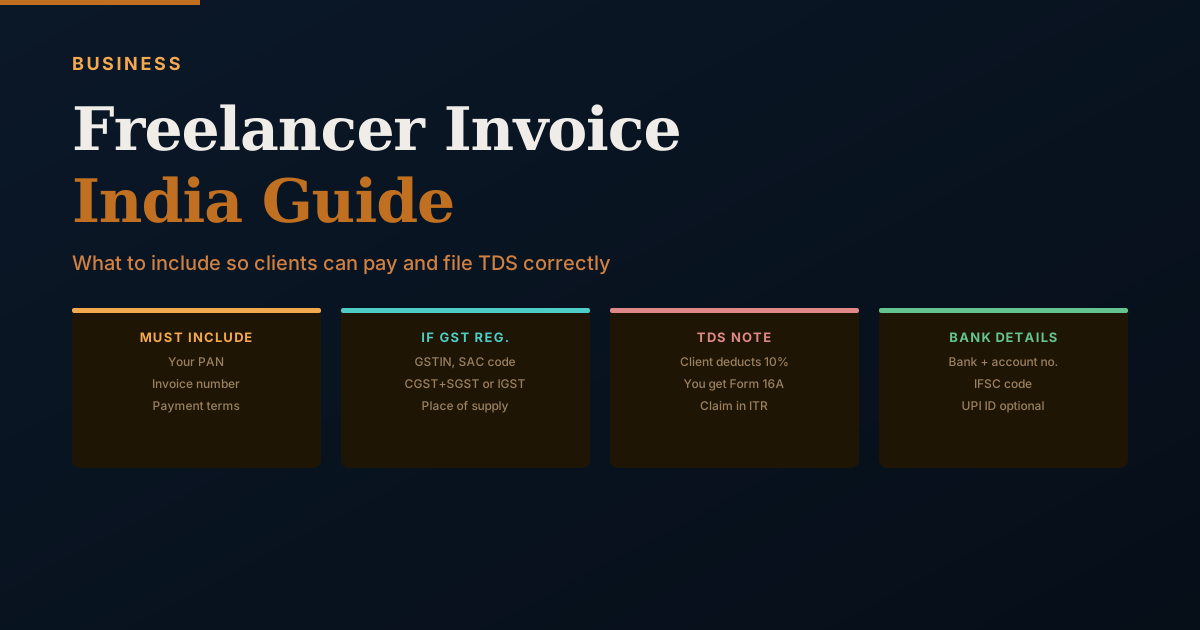
An invoice is not merely a request for payment — it is a legal document. A correctly formatted invoice enables your client to file TDS, claim GST input tax credit, and process payment through their accounts payable system. Missing elements create delays; incorrect elements create compliance problems for both parties.
Why Freelance Invoices in India Are Different
Indian freelancers deal with two layers of complexity that don't exist in many other countries: GST (if registered) and TDS (which the client deducts from your payment). Both require specific information on your invoice to function correctly. A client who doesn't have your PAN cannot complete their TDS filing. A client who doesn't have your GSTIN cannot claim input tax credit. These gaps don't just delay your payment — they create paperwork problems for the client that create friction in the business relationship.
The Mandatory Invoice Elements
Invoice number: Sequential numbering within the financial year is required for GST-registered taxpayers and strongly recommended for all freelancers. Format: FY-YYYYY/sequence (e.g., 2025-26/012). This creates an audit trail and allows both parties to reference specific invoices in any dispute.
Invoice date: The date the invoice is raised. For GST purposes, this determines which filing period the invoice falls under.
Your full legal name or registered business name: Exactly as it appears on your PAN and bank account. Discrepancies cause payment processing delays.
Your complete address: Required for GST invoices and useful for all invoices.
Your PAN: Mandatory on every invoice. Your client's TDS filing software requires it. An invoice without PAN will be returned or create follow-up delays.
Client's full name, address, and GSTIN (if GST-registered client): For B2B invoices between GST-registered parties, the client's GSTIN must be on the invoice for them to claim input tax credit.
Description of services: Clear, specific description. "Website development — Q1 2025 project per agreed scope" is better than "services." For milestone-based projects, specify which milestone.
Base amount before tax: The fee for services before GST is added.
GST details (if you are GST-registered):
- Your GSTIN
- HSN/SAC code (for services: 9983 for IT and technology, 9981 for professional services)
- Place of supply (the state where the service is received, typically the client's state)
- GST rate and breakdown:
- If client is in the same state as you: CGST (9%) + SGST (9%) for 18% total
- If client is in a different state: IGST (18%)
Total amount payable: Base amount plus GST (or just base amount if not GST-registered).
TDS note: A line stating the applicable TDS section and rate, so the client's accounts department handles it correctly: "TDS @ 10% under Section 194J applicable. Net payable after TDS deduction: Rs.X." (Section 194J was renumbered Section 393 under the Income-tax Act, 2025, effective 1 April 2026, with the same 10% rate — either reference works, since both point to the same obligation.)
Bank account details for payment:
- Bank name
- Account number
- IFSC code
- UPI ID (optional, for immediate payment)
Payment terms: "Payment due within 30 days of invoice date." Or specific date if agreed: "Due by April 30, 2025."
What Happens When TDS Is Deducted
If your invoice is Rs.80,000 — comfortably past the Rs.50,000 aggregate threshold — and TDS at 10% is deducted:
- Client pays you: Rs.72,000
- Client deposits to government: Rs.8,000
- Client issues you Form 16A (TDS certificate) — usually quarterly
When you file your ITR, you report the full Rs.80,000 as income and claim Rs.8,000 as TDS already paid. This reduces your tax liability by Rs.8,000. The math works out — you're not losing the TDS, it's just pre-paid tax.
Common Invoice Mistakes to Avoid
Missing PAN: The most common problem. No PAN means the client cannot process TDS — triggering follow-up requests and delayed payment.
Wrong GST type (CGST/SGST vs IGST): Applying the wrong split means the client claims incorrect input tax credit, which creates a mismatch in their GST filings.
No payment terms: Without a stated due date, "when convenient" becomes the effective payment term for many clients.
No invoice number: Creates audit trail problems and makes it difficult to reference specific invoices in follow-ups.
Not providing a physical or digital acknowledgment: When payment is received, send a brief payment confirmation email — it closes the transaction formally for both parties.
Invoice vs Receipt
These are different documents that freelancers often conflate. An invoice is issued before payment — it's a formal request with payment terms. A receipt is issued after payment — it acknowledges that payment was received for the specified invoice. Clients, especially large corporates, may request both for their records.
SAC Codes for Common Freelance Services
SAC (Service Accounting Code) is the GST classification system for services. Every GST invoice must include the relevant SAC code. Common codes for freelancers:
| Service Type | SAC Code | GST Rate |
|---|---|---|
| IT software development | 998314 | 18% |
| IT consulting services | 998313 | 18% |
| Management consulting | 998311 | 18% |
| Legal services | 998211 | 18% |
| Accounting and bookkeeping | 998222 | 18% |
| Architectural services | 998311 | 18% |
| Graphic design services | 998392 | 18% |
| Content writing and editing | 998391 | 18% |
| Photography and videography | 998392 | 18% |
| Training and coaching | 999293 | 18% |
| Market research | 998311 | 18% |
| Financial advisory | 997150 | 18% |
If you're unsure of your SAC code, search the GST rate finder on gst.gov.in by entering the nature of your service. Using the wrong SAC code can create mismatches in the GST portal and trigger notices.
Intra-State vs Inter-State: Getting the Tax Type Right
The most common GST invoice error among freelancers is applying the wrong form of GST — CGST/SGST versus IGST.
Rule: Determine where your client (the service recipient) is located.
- Client in the same state as your business registration: apply CGST + SGST (equal halves: 9% + 9% for 18% total)
- Client in a different state: apply IGST at the total rate (18%)
The "place of supply" for most B2B professional services is the location of the registered recipient — the state where the client's business is registered, not where the work is physically done.
Example: You are registered in Karnataka and provide consulting to a Mumbai-based company (Maharashtra). This is an inter-state supply. Invoice: IGST @ 18%.
Example: Same Karnataka-based consultant, providing services to a Bengaluru startup. Intra-state. Invoice: CGST 9% + SGST 9%.
If you get this wrong:
- Your client cannot claim ITC correctly (CGST/SGST credit can only offset CGST/SGST liability; IGST credit is more flexible)
- You may have deposited tax in the wrong head, creating a mismatch
- Both of you will have reconciliation problems at GSTR-2B / GSTR-3B filing
Invoice Numbering That Keeps GST Filing Clean
GST requires a unique, consecutive serial number for each tax invoice within a financial year. The format is flexible, but the rule is strict: no gaps, no duplicates, no restarts mid-year.
Recommended format: FY/PREFIX/SEQUENCE
- 2025-26/INV/001
- 2025-26/INV/002
- 2025-26/INV/003...
If you want separate series for different clients or service types:
- 2025-26/TCS/001 (client TCS)
- 2025-26/ABR/001 (client Abirami)
Maintain a single master invoice register (spreadsheet or accounting software) that records every invoice number, date, client, amount, GST type, and SAC code. This is what you use to prepare your GSTR-1 monthly — and what you check against when a client queries an invoice.
Credit Notes: When to Issue and What to Include
A credit note reduces the value of a previously issued invoice. You issue a credit note when:
- A service was cancelled after the invoice was raised
- The invoice amount was overstated
- A discount was agreed after invoicing
- Services were not fully delivered
A credit note must reference the original invoice (by number and date) and show the amount being reduced, the GST adjustment, and the reason. Under GST, credit notes must be issued by the earlier of: the date of the annual return for the relevant year, or November 30 following the end of that financial year.
For income tax, a credit note reduces your income for the year in which the original invoice was raised — discuss with your CA how to reflect this in your books.
Electronic Invoices (e-Invoicing) for Larger Businesses
From October 2022, GST-registered businesses with turnover above Rs.10 crore are required to generate e-invoices (electronic invoices with an IRN — Invoice Reference Number) for B2B supplies. The threshold was progressively lowered from the initial Rs.100 crore.
If you are below the current e-invoicing threshold (verify current threshold at einvoice1.gst.gov.in), you are not required to generate e-invoices. However, if you supply to large buyers who require e-invoiced documents for their ITC claims, understand what your client needs — some large buyers will specify this in vendor onboarding requirements.
For freelancers and small consultants well below the threshold, regular tax invoices as described in this article are fully sufficient.
Managing the Full Invoice-to-Collection Cycle
The invoice is step one. The full process:
Step 1 — Issue invoice on delivery or at agreed milestone. Don't wait until month-end if the work was delivered earlier. Each week of delay in invoicing is potentially a week of delay in payment.
Step 2 — Confirm receipt. For first-time clients or large invoices: send the invoice and follow up within 24 hours to confirm it was received and is in their accounts queue.
Step 3 — Track due date. Set a calendar reminder for 3 days before the payment due date. A polite reminder on day 27 of a 30-day term often triggers payment before it technically becomes overdue.
Step 4 — Chase overdue invoices. Day 1 overdue: a brief, factual email with invoice attached. "Sharing invoice INV-025 for Rs.50,000 due on [date] — please let me know if there's anything needed from my end to process payment."
Day 7 overdue: firmer follow-up, reference the agreed payment terms, request a specific payment date.
Day 15 overdue: escalate to a senior contact if the initial contact isn't responding.
Step 5 — Receive payment and confirm. Send a payment receipt or acknowledgment. Update your invoice log to mark it as paid. Verify the amount — TDS deducted, if applicable, should match the expected 10%.
Step 6 — Verify TDS in Form 26AS. In the following quarter, check that TDS shown on your invoice appears in Form 26AS. Corporate clients have a quarterly TDS filing deadline — a Q1 (April-June) payment appears in 26AS typically by August after the client files their July 31 TDS return.
Using Accounting Software to Streamline Invoice Management
Manual invoice management using Word or Excel works at low volume, but accounting software changes the workflow meaningfully from 5-10 clients onwards:
Zoho Books (popular for Indian compliance): Auto-generates sequential invoice numbers, applies correct GST split based on client state, auto-fills SAC codes, syncs with GSTR-1 data, and has a client portal for invoice delivery and payment. Free tier available for businesses with turnover under Rs.25 lakh.
Tally Prime: Industry standard for compliance-heavy businesses. Handles GST returns, TDS tracking, and integrates with Tally's accounting modules. Steeper learning curve but comprehensive.
QuickBooks India: Good user interface, handles GST invoicing, but less commonly used than Zoho or Tally by Indian freelancers.
Wave Accounting: Free, suitable for simple invoice-only use cases without advanced GST reporting.
The right software depends on your volume and whether you need GST return integration. At 3-5 invoices per month, a spreadsheet is fine. At 15+ per month with multiple clients and GST filing, software pays for itself in time saved.
When a Client Refuses to Issue Form 16A
Form 16A is the TDS certificate your client must issue quarterly after deducting TDS. Without it, the TDS deducted from your payments sits in the government's account but your Form 26AS may not show it (if the client hasn't filed their TDS return), and you cannot claim the credit.
This happens more often than it should. The response:
Step 1: Confirm whether the TDS actually appears in Form 26AS. Log in to incometax.gov.in, go to Services → View 26AS or Annual Information Statement. If TDS is listed there, the Form 16A is useful documentation but its absence doesn't prevent you from claiming the credit on ITR.
Step 2: If TDS is NOT in Form 26AS, the client has deducted but not deposited. This is the more serious problem. Contact the client's accounts team requesting their TDS payment challan for the relevant quarter. A client who deducts TDS and doesn't deposit it has an obligation under Section 201 of the Income Tax Act — they are in default, with interest and penalty exposure. This is a strong lever to use.
Step 3: If unresolved, a formal legal notice (drafted by a lawyer) citing Section 203A (obligation to issue TDS certificate) and Section 201 (consequences of failure to deduct or deposit) typically prompts action.
For ITR filing: If TDS is in 26AS but you don't have Form 16A, you can claim the credit using the 26AS data. Your CA can file the ITR with the credit. If TDS is not in 26AS and the client is unresponsive, you have two options: pay the tax yourself to file on time (and pursue the client separately), or file a grievance with the income-tax department.
Proforma Invoice vs Tax Invoice: When to Use Each
Proforma invoice: Issued before a service is performed, to get client approval on pricing and scope before you commence work. It is not a tax document — it doesn't trigger GST liability and is not entered in GSTR-1. Use it when a client needs internal budget approval before signing a contract. Mark it clearly: "PROFORMA INVOICE — Not a Tax Invoice."
Tax invoice: Issued when a service is completed or a milestone is reached. This is the legal GST document that goes into GSTR-1, triggers your GST liability, and enables the client to claim ITC.
When to raise the tax invoice: As soon as possible after the service is delivered or the milestone is met — not at month-end if you can avoid it. Earlier invoice = earlier payment clock starts = faster collection. A tax invoice also triggers the 45-day payment protection under the MSMED Act (for registered MSMEs) from the date of invoice, not from the date the client processes it internally.
For invoice formatting or GST specifics unique to your situation, a CA's review beats guessing from a general template.
Frequently Asked Questions
Sources and references
- Goods and Services Tax — Official GST Portal, Government of India
- Income Tax Department, Government of India
- Reserve Bank of India (RBI)
- Income Tax Department — Income-tax Act, 2025 (FAQs on Interplay and Transition, and Act text)
Rules, rates, and thresholds in India change over time. Always confirm the current position with the official source above before acting on it.