Budget App vs Spreadsheet: Which One Should You Use?
Both budget apps and spreadsheets work for different people, habits, and levels of financial complexity. Choose based on what you'll actually use.
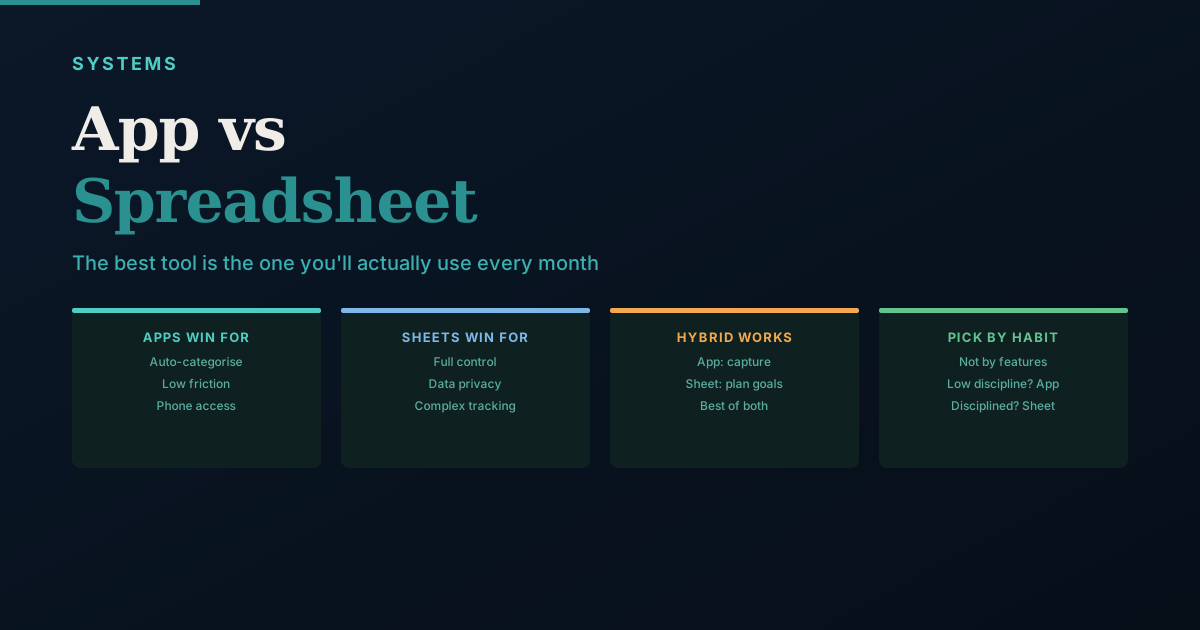
The best budgeting tool is the one you actually use. This sounds obvious, but it determines everything: a comprehensive app you check once and abandon is worse than a three-column spreadsheet you update every Sunday. The goal is sustained behaviour, not the best features.
When Budget Apps Win
Low-friction data capture. Apps that read your SMS transaction alerts (a feature of Indian bank SMS notifications) can categorise spending automatically. You spend 2-3 minutes reviewing rather than 20 minutes entering every transaction manually. For people who would otherwise never track at all, this friction reduction is the deciding factor.
Visual pattern recognition. Apps present spending charts and category breakdowns without you needing to build formulas. Patterns become visible immediately — you can see in seconds that food delivery is 40% of your discretionary spend without any calculation.
On-device context. A phone app is with you when you're about to make a purchase. Checking your remaining monthly discretionary budget before a spontaneous restaurant dinner is only possible if the tool is already on your phone and takes 10 seconds to open.
Good fit for: People who haven't tracked before and need low-friction entry; people with simple finances (one salary, standard expense categories); people who want instant visual feedback.
Limitations of apps:
- India bank integration via API is inconsistent — not all banks connect reliably, and many apps rely on SMS reading which requires permissions some people are uncomfortable granting
- Your transaction data lives on a third-party company's servers — a genuine privacy consideration for financial data
- Apps are rigid — if you want to track something they don't support (like net worth, investment allocation, or multi-currency), you can't add it
- Good apps often have subscription fees that add up over years
When Spreadsheets Win
Complete control. Every formula, every category, every layout reflects exactly what matters to you. If you want to track "spontaneous food vs planned food delivery" as separate categories, you add a column. No app negotiation required.
This is exactly why, when I started building financial tools of my own, I built spreadsheet templates before I built anything app-shaped — a spreadsheet does not force a business or a household to fit someone else's idea of what matters.
Full data ownership. Your financial transaction history stays in your Google account or on your device. It doesn't pass through any third-party server beyond Google or Apple's cloud. For many people, this matters for financial records specifically.
Complexity that apps can't handle. Investment portfolio tracking, multi-goal financial planning, net worth calculation across demat accounts, EPF balance, mutual funds, loans, and property — a well-designed spreadsheet handles this in a way that no single budgeting app does comprehensively.
Longevity. A spreadsheet you've built over 5 years with 5 years of spending history is irreplaceable. Apps get discontinued, pivot their business model, or lose your data when you switch devices. Google Sheets will exist indefinitely and your data is yours.
Good fit for: People who are comfortable with basic spreadsheets; people with complex financial situations (multiple income sources, investments, loans, goals); people who value data privacy; people who've used apps and found them too restrictive.
Limitations of spreadsheets:
- Requires manual entry unless you build bank statement import processes
- No automatic categorisation — every transaction requires you to identify and label it
- Needs meaningful setup time to build a structure that works for you
- Requires discipline to enter transactions regularly — if you go 3 weeks without entry, you're doing significant catch-up
The Hybrid Approach (Most Common in India)
Many people end up using both, for different purposes:
- An SMS-reading app for real-time spending awareness and approximate monthly totals
- A spreadsheet for monthly goal tracking, investment monitoring, net worth calculation, and year-over-year trends
The app handles the operational data collection; the spreadsheet handles the strategic planning layer. This separation uses each tool for what it does well.
Three Questions to Choose Your Tool
How disciplined are you at manual data entry? If you know you won't enter transactions consistently, an app with auto-categorisation from SMS is the only realistic path. Self-knowledge here matters more than aspiration.
How complex is your financial situation? Simple (one salary, basic expenses, one or two investments) — an app is probably sufficient. Complex (multiple income sources, several investment accounts, business income, multiple loans) — a spreadsheet that you control is more appropriate.
How much do you value data privacy for financial records? Comfortable sharing transaction data with app companies — use an app. Prefer to keep financial data in your own cloud — use a spreadsheet.
The Minimum Viable Spreadsheet
If you've never tracked and want to start today with zero effort to set up:
One sheet. Three columns: Date | Category | Amount
Enter each transaction in 30 seconds. At month end, filter by category and sum. Compare to last month. That's your budget review.
Add more columns or complexity only when the basic version has proven itself useful for 60+ days.
India-Specific App Landscape: What Actually Works in 2026
The Indian personal finance app market has matured significantly, but key limitations remain:
Apps that read SMS transaction alerts (India-specific feature):
Indian banks send SMS alerts for every debit and credit, typically in a standardised format. Apps that parse these SMS messages can auto-categorise transactions without requiring bank API access — a workaround for India's limited open banking infrastructure.
-
Walnut: One of the earliest SMS-reading expense apps in India. Reads SMS from all major banks and categorises transactions automatically. Free to use. Limitation: SMS permissions feel invasive to many users, and the app requires always-on SMS access.
-
Money View: Similar SMS reading functionality, with additional personal loan and credit score features. Good for users who want a comprehensive financial app beyond just expense tracking.
Investment tracking apps (not expense management):
-
Kuvera: Free direct mutual fund platform with goal-based investing, portfolio tracking, and family accounts. Fetches your MF portfolio via PAN-based consent. Excellent for mutual fund tracking. Does not track bank spending.
-
INDMoney: Tracks mutual funds, stocks, EPF, NPS, FDs, and US stocks in one view via PAN and account linking. More comprehensive than Kuvera but requires more permissions.
-
Zerodha Coin: Tracks your Zerodha MF portfolio. No expense management. Excellent for direct MF investments and monitoring.
Accounting apps (for freelancers and business owners):
-
Zoho Books: A full accounting suite with invoicing, expense tracking, GST filing integration, and bank reconciliation. Free up to a turnover threshold. Suitable for freelancers who want their personal and business finances separated with proper bookkeeping.
-
Vyapar: India-focused accounting app for small business owners and GST-registered traders. Better suited for inventory-based businesses than service professionals.
For most salaried individuals, none of these apps fully replaces a well-built Google Sheets tracker — but several complement it effectively. The practical combination used by many Indian households: an SMS-reading app for real-time spending awareness, and a monthly Google Sheets tracker for budgeting, net worth, goals, and investment monitoring.
The Spreadsheet Advantage for Tax Planning
One area where spreadsheets consistently beat apps for Indian users is tax planning. Most expense apps track current spending — they don't help you plan for 80C utilisation, advance tax calculation, or LTCG harvesting.
A well-structured Google Sheets tracker can include:
An 80C utilisation tracker tab:
| Instrument | Annual Limit | Paid This Year | Remaining |
|---|---|---|---|
| EPF (employee) | 1,50,000 | 48,000 | 1,02,000 |
| ELSS SIPs | 1,50,000 | 36,000 | — |
| PPF contribution | 1,50,000 | 0 | 1,50,000 |
| LIC premium | 1,50,000 | 22,000 | — |
| Total 80C used | 1,50,000 | 1,06,000 | 44,000 |
One column for each component of 80C, updated monthly as you make contributions. In February, this tab immediately shows you have Rs.44,000 remaining in your 80C limit — invest in ELSS before March 31 to use it.
A capital gains tab: As you redeem mutual funds or sell shares during the year, log each transaction with the fund name, date of purchase, date of sale, sale price, and purchase price. The spreadsheet calculates whether the holding is short-term or long-term, and the tax applicable. By February, you know exactly how much LTCG you've realised and whether you can do more harvesting.
No expense tracking app in India builds this tax planning layer. A spreadsheet does.
Choosing Based on Your Specific Situation
Rather than picking app vs spreadsheet abstractly, consider these specific user profiles:
Profile 1: First-time tracker, no prior financial habit. Start with an SMS-reading app (Walnut or Money View). The zero-friction auto-categorisation builds the awareness habit without requiring any setup or discipline. After 3 months, if you want more control and detail, layer in a Google Sheets tracker for monthly summaries and goals.
Profile 2: Salaried professional with SIPs and one home loan. Google Sheets is the better primary tool. Download your bank statement once a month, paste transactions, categorise in 20 minutes. The same sheet tracks your EMI outstanding, SIP performance, goal progress, and 80C utilisation. No app covers this comprehensively.
Profile 3: Freelancer or consultant with variable income and GST registration. Use Zoho Books for invoicing, expense logging, and GST tracking. Connect your bank account for reconciliation. Export monthly summaries to Google Sheets for personal finance planning (the distinction between business expenses and personal expenses is important for tax purposes).
Profile 4: Couple managing shared finances. Google Sheets shared with editing access for both partners. Both can log expenses, update net worth, and review goals. A shared spreadsheet with agreed category names is more practical than two people trying to sync two separate apps. Set one shared monthly review time.
Profile 5: High-transaction volume (multiple credit cards, business expenses, side income). Consider a hybrid approach: Zoho Books for business transactions, Google Sheets for personal finance, and a shared link between the two in the form of a monthly export. The higher the transaction volume, the more valuable proper categorisation and reconciliation becomes — and the less adequate any app's auto-categorisation is.
Building the Minimum Viable Spreadsheet: Step by Step
For anyone starting from zero, here is the exact structure to set up in Google Sheets in under 20 minutes:
Tab 1: Transactions
| Date | Description | Category | Amount | Type |
|---|---|---|---|---|
| 2026-05-01 | Salary credit | Income | 95,000 | Credit |
| 2026-05-05 | Swiggy order | Eating Out | -680 | Debit |
| 2026-05-05 | SBI Nifty SIP | Investments | -10,000 | Debit |
| 2026-05-10 | Reliance Fresh | Groceries | -3,200 | Debit |
Enter transactions here throughout the month. Using a consistent Category name (no typos, no variations — always "Eating Out", not sometimes "Food Delivery") enables the summary formulas to work.
Tab 2: Monthly Summary
Use SUMIF to total each category:
=SUMIF(Transactions!C:C, "Eating Out", Transactions!D:D)
One formula per category, one column per month. By month 3, this tab shows a meaningful comparison: Did groceries creep up? Did eating out drop after you committed to cooking more?
Tab 3: Goals Snapshot (optional, add month 2)
One row per financial goal: Emergency Fund, House Down Payment, Retirement. Three columns: Target, Current, % Done. This single view tells you more about financial progress than any monthly budget number.
The entire system takes 15–20 minutes to set up and 20–30 minutes per month to update. No formulas beyond SUMIF are required until you actively want more.
When to Switch Tools
Start with what you'll actually use. But watch for these signals that it's time to change:
Switch from app to spreadsheet when:
- You find yourself constantly fighting the app's category system or wanting data it doesn't show
- You need to track investments, loans, or goals that the app handles poorly
- You've realised data privacy matters to you and don't want your transactions on a third-party server
- The app fee no longer feels worth it for what you get
Switch from spreadsheet to app when:
- You've tried the spreadsheet for 2 months and genuinely haven't updated it more than once
- You identify that the friction of manual entry is the specific reason you stop
- Your finances are simple enough that an SMS-reading app gives you 90% of the insight
Stay with both when:
- The app handles real-time spending awareness (daily friction) and the spreadsheet handles strategic planning (monthly review) — each doing what it does best
The tool is not the goal. The goal is knowing where your money is going, catching problems early, and building toward your financial targets. Both apps and spreadsheets can do this — the one that does it for you is the right one.
Frequently Asked Questions
Sources and references
Rules, rates, and thresholds in India change over time. Always confirm the current position with the official source above before acting on it.